Want to catch up to the best DSTV shows on your PVR?
Just hit the Catch Up button on your remote for a selection of the week’s best series, movies, kids shows and sporting highlights.
DStv Catch Up on your DStv Explora even has series stacking, meaning you can watch more than one episode of your favourite show. And if you’ve connected your DStv Explora to the internet, you can access 100’s more titles including entire box sets. Keep an eye out for the little download icon which indicates that your preferred viewing is available for download.
You can either view it straightaway while downloading or download to view later. DStv Catch Up now has instant search. Not only can you find what you’re looking for faster, you can also see what’s available on Box Office and Playlist.
Entertainment at your fingertips! The DStv Explora – effortless entertainment
https://localdstvinstaller.co.za/wp-content/uploads/2018/10/DStv-Explora-Tips-–-Catch-Up_.jpg446806LocalDSTVhttps://localdstvinstaller.co.za/wp-content/uploads/2018/02/no-300x141.pngLocalDSTV2018-10-04 16:17:242019-04-09 08:52:38DStv Explora Tips – Catch Up
Do you want to know the best shows showing on DSTV ? There are loads of ways to find the info you need.
Option 1- First, hit “i” on any channel to see what’s showing now and scroll down to see what’s heading your way. Option 2- Or press the TV guide button to check out the 8-day schedules across all your DStv channels.
While you’re on this screen, remember you can also quickly and easily set reminders, or schedule recording so that you never miss an episode of your favourite shows.
For programming info at your finger tips, check out the online TV guide on dstv.com. Or download the DStv Now app to access the schedule on your smart device.
There’s a world of information out there. So go and explore with DStv!
https://localdstvinstaller.co.za/wp-content/uploads/2018/10/Wanna-Know-What’s-On-DStv_.jpg433925LocalDSTVhttps://localdstvinstaller.co.za/wp-content/uploads/2018/02/no-300x141.pngLocalDSTV2018-10-04 15:51:222019-04-09 09:16:10Wanna Know, What’s On DStv
DStv is committed to a code of conduct as outlined by the Broadcasting Complaints Commission of South Africa (BCCSA). If you believe that our programming does not adhere to this code, you have the right to be heard.
Please write to the BCCSA and remember that DStv’s Parental Control function is there to help you control what your family watches.
To find out how the Parental Control function it works
Step 1- Press the DStv button on your remote.
Step 2- Scroll to settings, and select PG settings.
https://localdstvinstaller.co.za/wp-content/uploads/2018/10/Control-what-your-family-watches_.jpg428804LocalDSTVhttps://localdstvinstaller.co.za/wp-content/uploads/2018/02/no-300x141.pngLocalDSTV2018-10-04 12:09:552019-04-09 09:53:51DStv ‘s Code of Conduct and Parental Control
So you really love your current HD PVR decoder, and it still has the recordings you would like to keep and watch later. But you also want a DStv Explora. How on earth do you choose?
The good news, you don’t have to!
The DStv Explora is Xtra View capable, so you can link it to your current PVR decoder. Which means your family can watch two different channels on two different television sets. Plus, record an additional show on your PVR decoder, while you are recording another on your Explora.
Why not have the best of both worlds with Xtra View and a DStv Explora decoder?
https://localdstvinstaller.co.za/wp-content/uploads/2018/10/Have-the-best-of-both-worlds-with-XtraView-and-DStv-Explora.jpg464803LocalDSTVhttps://localdstvinstaller.co.za/wp-content/uploads/2018/02/no-300x141.pngLocalDSTV2018-10-04 11:51:392019-04-09 10:02:08Have the best of both worlds with XtraView and DStv Explora
We know you have loads to do on your to-do list and paying for your DSTV should be the last thing to do. Luckily, paying your DStv account doesn’t have to be one of them with debit order.
SMS debit to 37171
That’s if you set up a debit order. Simply SMS debit to 37171 and we’ll call you back to get you started.
(SMS costs R1 in South Africa)
Visit DSTv.com
You can also easily activate it via your credit card account.
Visit dstv.com and click on My DStv for more info.
Cut the queues and avoid re-connection fees.
Do quick. Do easy. Do reliable. Do it the debit order way.
And consider it done with DStv!
https://localdstvinstaller.co.za/wp-content/uploads/2018/10/DSTV-Self-Service-Choose-Debit-Order_.jpg454803LocalDSTVhttps://localdstvinstaller.co.za/wp-content/uploads/2018/02/no-300x141.pngLocalDSTV2018-10-03 15:44:202019-04-11 10:54:03Choose Debit Order
Not seeing the bigger picture? Or perhaps your screen looks stretched. Maybe you prefer to watch without those black bars. It’s super easy to set your DStv decoder to your specific viewing preferences.
If you have an older model decoder
Step 1- press the menu button on your remote.
Step 2- Select the advanced options,
Step 3- Then television installation.
Step 4- Enter 9949 and select the aspect ratio that’s right for you.
On our HD PVR
Step 1- Press the shift and TV guide button.
Step 2- Keep pressing them until you find the setting that you prefer.
For the DStv Explora decoder, and the DStv HD decoder
Step 1- Press the ARC button once to display the current aspect ratio setting.
Step 2- Then keep pressing to cycle through the various options.
Remember to make sure that your wide screen television isn’t set to automatically adjust your picture, as this will conflict with your decoder setting.
https://localdstvinstaller.co.za/wp-content/uploads/2018/10/DSTV-Self-Service-How-to-change-Aspect-Ratio_.jpg454804LocalDSTVhttps://localdstvinstaller.co.za/wp-content/uploads/2018/02/no-300x141.pngLocalDSTV2018-10-03 13:32:072019-04-02 16:21:13How to change Aspect Ratio
DStv Now is the internet-based service of the popular subscription service. You can watch all your favourite content – from live TV and sports, to series and shows, plus Catch Up – on your preferred internet-enabled device.
Beside smartphones and tablets, you can now access the app on Apple TV. The app was launched in 2014, with the initial focus on being a mobile-first product. But it grew in popularity so quickly, that DStv decided to expand the access options. A big appeal of the app is watching DStv without the need of a decoder.
DStv Now is free to all DStv customers. The content you can watch online is linked to your DStv package. You can watch different shows in the same house, without fighting over the remote. One account can be linked to the main decoder in your lounge, and simultaneously give you access to a movie on your tablet in the bedroom. You can link as many devices as you want. A bonus feature of this, is offering your kids access to your DStv subscription away from home.
DStv Now is an over-the-top (OTT) internet video streaming service. It works best with a good high-speed internet connection, ideally uncapped.
How to Connect Your Apple TV with DStv Now
Download the app from the Apple App store. Open the DStv Now App on your Apple TV.
A pin will be placed on your TV. Access your MacBook, iPad or iPhone and go to now.dstv.com/tv to link your Apple TV. Register to watch the best in DStv entertainment. Verify your phone number to complete registration.
An OTP will be sent to your iPhone. Enter the One Time Pin sent to your phone. Enter your personal information and click Finish. Enter the Pin displayed on your TV.
Your Apple TV is now linked to DStv Now! Go back to your TV and start watching your favourite shows.
https://localdstvinstaller.co.za/wp-content/uploads/2018/09/dstv-now-.jpg3411024LocalDSTVhttps://localdstvinstaller.co.za/wp-content/uploads/2018/02/no-300x141.pngLocalDSTV2018-09-27 14:56:052019-04-03 09:51:10Get DStv Now on your Apple TV
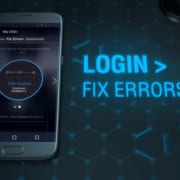
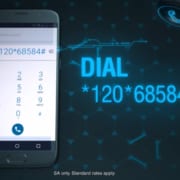
Option 2- Or dial *120*68584# and select option 3 (clear my error)
Option 3- You can also visit dstv.com and go to Support and click on Fixing Errors
Keep your decoder switched on with the smartcard inserted so that it can receive the reset command after you have paid.
Quick and easy self-service with DStv!
https://localdstvinstaller.co.za/wp-content/uploads/2018/09/My-DStv-–-Quick-and-Easy-Tip-to-Fix-Your-Errors_.jpg452784LocalDSTVhttps://localdstvinstaller.co.za/wp-content/uploads/2018/02/no-300x141.pngLocalDSTV2018-09-26 11:11:222019-04-11 11:15:16My DStv – Quick and Easy Tip to Fix Your Errors
Step 2- Go to the My DStv tab. Step 3- Click on Set up debit order and follow the step by step instructions.
Switch to quick, easy, and hassle-free payment with a debit order.
https://localdstvinstaller.co.za/wp-content/uploads/2018/09/My-DStv-–-Fast-and-Hassle-Free-Debit-Order_.jpg424815LocalDSTVhttps://localdstvinstaller.co.za/wp-content/uploads/2018/02/no-300x141.pngLocalDSTV2018-09-26 11:07:282019-04-11 11:50:20My DStv – Fast and Hassle-Free Debit Order
Bad weather can put a damper on your day. And it can also affect your television signal because the signal is send via satellite. A local storm or even a storm across the world, can affect your signal.
If you have a PVR decoder, why not check out DStv Catch Up or choose something from your playlist to watch? If you don’t have PVR, you can catch-up or rent online and wait for the storm to pass.
Remember to unplug your decoder if there is lightning about. The common reasoning holds that a lightning strike could send a surge of electricity through household wiring, destroying electric devices and circuits.
DStv – great viewing to help you weather any storm!
https://localdstvinstaller.co.za/wp-content/uploads/2018/09/Bad-weather-interrupts-TV-viewing_.jpg452790LocalDSTVhttps://localdstvinstaller.co.za/wp-content/uploads/2018/02/no-300x141.pngLocalDSTV2018-09-26 11:05:512019-04-12 10:42:11Bad weather interrupts TV viewing
https://localdstvinstaller.co.za/wp-content/uploads/2018/09/My-DStv-–-Where-and-How-to-Pay_.jpg437804LocalDSTVhttps://localdstvinstaller.co.za/wp-content/uploads/2018/02/no-300x141.pngLocalDSTV2018-09-25 15:29:472019-03-29 09:19:50My DStv – Where and How to Pay
https://localdstvinstaller.co.za/wp-content/uploads/2018/09/Pay-DSTV-On-FNB-App-Multichoice-Public.jpg330489LocalDSTVhttps://localdstvinstaller.co.za/wp-content/uploads/2018/02/no-300x141.pngLocalDSTV2018-09-22 10:58:052019-03-25 14:42:07How to Pay DStv using FNB App – Account payments made easy with FNB and DStv
https://localdstvinstaller.co.za/wp-content/uploads/2018/09/How-to-cast-DStv-Now-from-your-Android-Device-to-Google-Chromecast.jpg445819LocalDSTVhttps://localdstvinstaller.co.za/wp-content/uploads/2018/02/no-300x141.pngLocalDSTV2018-09-22 10:52:312019-03-29 11:33:36How to cast DStv Now from your Android Device to Google Chromecast
Download the DStv Now app to start enjoying entertainment on the move. Watch your favorite shows and channels wherever and whenever . (all you need is a good internet connection and you are god to go)
DStv in Your Pocket
After downloading the app, follow these instructions:
Step 1- Tap on the DStv Now icon to open the app.
Step 2- Register or login
Step 3- Enter the one-time PIN that was sms’ed or emailed to you.
Step 4- Fill in more details including your name, email and password
https://localdstvinstaller.co.za/wp-content/uploads/2018/09/How-to-start-using-DStv-Now.jpg453805LocalDSTVhttps://localdstvinstaller.co.za/wp-content/uploads/2018/02/no-300x141.pngLocalDSTV2018-09-13 14:47:022019-05-09 10:56:12How to start using DStv Now
https://localdstvinstaller.co.za/wp-content/uploads/2018/09/How-to-link-your-smartcard-to-DStv-Now.jpg450793LocalDSTVhttps://localdstvinstaller.co.za/wp-content/uploads/2018/02/no-300x141.pngLocalDSTV2018-09-13 14:26:232020-07-01 09:25:26How to link your smartcard to DStv Now
https://localdstvinstaller.co.za/wp-content/uploads/2018/09/DStv-Self-Service-Download-Account-Statements.jpg7201280LocalDSTVhttps://localdstvinstaller.co.za/wp-content/uploads/2018/02/no-300x141.pngLocalDSTV2018-09-05 10:55:312019-03-31 00:37:48View your DStv account statements – It’s easy with DStv Self Service
https://localdstvinstaller.co.za/wp-content/uploads/2018/09/DSTV-E16-Error-Message-1.jpg363800LocalDSTVhttps://localdstvinstaller.co.za/wp-content/uploads/2018/02/no-300x141.pngLocalDSTV2018-09-05 10:53:482019-06-28 13:44:50Fix E16 Errors on DStv – It’s easy with DStv Self Service
Netflix has been active in South Africa since 2016. And it’s becoming more popular by the minute! People are realising how handy the live streaming service is. You can easily access your favourite series and movies with just a good internet connection and laptop, smartphone or tablet.
The selection of shows continually change, bringing you fresh content almost every day. There are a few shows that are firm favourites and that will stick around for quite a while. To see what’s new, click on the Recently Added menu. Another fun feature of the subscription service, is that it will suggest shows you might like, based on the ones you’ve previously watched.
Top 5 Best Series on Netflix
Some series are timeless, they aired years ago but they still have a loyal following. Then there’s new shows that have the potential to become timeless. Here’s a few that we think you should watch.
#1 Friends
1994–2004 | Seasons 1 to 10 available
Follow the lives of six 20 to 30-something friends living in New York, Manhattan. The show follows their personal and professional lives, through all the ups and downs that life throws at them.
To quote Monica “Welcome to the real world. It sucks, you’re gonna love it”
#2 Suits
2011 till present | Seasons 1 to 6 available
Mike Ross is a brilliant college dropout. His life takes an interesting twist after a drug deal gone bad. Without any legal credentials he manages to secure a job with Harvey Specter, one of the best lawyers in New York City. Mike impresses the big shot lawyer with his razor-sharp mind and goes from college dropout to associate lawyer.
#3 Brooklyn Nine-Nine
2013 till present | Season 1 to 4 available
Jake Peralta is a talented N.Y.P.D. detective, but he is a little immature. Working at Brooklyn’s 99th Precinct he must learn how to be a team player who follows the rules when a new captain comes on board. Captain Ray Holt is serious and stern, and Jake’s streak of immaturity oftentimes causes conflict with the new commanding officer
#4 Insatiable
2018 to present | Season 1 available
A Netflix original. Patty is a bullied teenager who chooses an interesting revenge method. Beauty pageants. She seeks help from Bob, a civil lawyer-turned-beauty pageant coach.
The vengeful teenager and disgraced, dissatisfied coach make an odd team. Soon Bob realises he is in way over his head with his quirky new client. He has no idea what he is about to unleash on the world…
#5 Gossip Girl
2007-2012 | Seasons 1 to 6 available
Another oldie but goodie. It offers a glimpse into the lives of a group of hyperprivileged teens, who call the Upper East Side of New York home. The Manhattan private-school kids seem untouchable, able to get away with everything. But an anonymous blogger is keeping an eye on them, watching every little move they make.
The ruthless blogger is on a mission. And no stone goes unturned to expose the secrets they try to hide so carefully.
Interesting Facts About Netflix
The streaming subscription service idea dates back to 1997. The Netflix CEO was charged a $40 fine for returning his VHS copy of Apollo 13 late.
What you need to know about the Mighty Netflix.
Netflix is older than Google, established in 1997. And Google started in 1998.
Blockbuster could have bought Netflix for $50 million in 2000. The now almost-extinct video rental company wasn’t interested. Today, Netflix is worth $20 billion.
The total yearly revenue is estimated at roughly $6 billion.
Currently you can subscribe to Netflix in close to 50 countries.
Worldwide the series Breaking Bad is the most watched Netflix show
https://localdstvinstaller.co.za/wp-content/uploads/2018/08/netflix.jpg6751200LocalDSTVhttps://localdstvinstaller.co.za/wp-content/uploads/2018/02/no-300x141.pngLocalDSTV2018-08-31 14:28:122019-03-26 16:22:07Best Series on Netflix South Africa
Take the hassle out of paying your DStv account by switching from cash or EFT payment, to debit order. Never worry about missing a payment again!
What is a debit order?
You can give MultiChoice permission to deduct your monthly subscription fee automatically from your bank account. This function is setup electronically for payment collection every month.
Debit Order Benefits
By setting up a debit order for your monthly DStv subscription, you will never miss a payment again.
It’s a hassle-free way to stay connected to DStv, with an easy and convenient payment method. Switch from manual payment to automatic.
Also, you can trace your DStv subscription payments via your bank statement, with your debit order being deducted on the same day each month. Effortlessly keep track of your payment history and stay in charge of your spending.
How to Setup a Debit Order with DStv
There are a few different ways to setup your debit order.
Option 1- Online via DStv Self Service
Do you bank with the following South African banks? Capitec, FNB, Standard Bank, Nedbank, or Absa. If so, and your DStv account plus bank account are both registered in your name, you can set up your debit order from the self-service menu.
Step 1- Click on the Menu button, followed by the Manage option.
Step 2- Click on My Account and Setup/Manage Debit order.
You will need to go through a verification process to confirm that your bank account belongs to you. The process can be completed automatically if both your DStv and bank account are registered in your name. If not, you will have to follow one of the other options listed below.
Option 2- Via Email or Fax
If your bank is not one of the major South African banks, you need to send through proof of banking (bank statement, bank-stamped letter, or cancelled cheque) to DStv.
If your company will be paying for your personal MultiChoice account, you need to take the following original documents to a MultiChoice branch or agency:
Letter on the company’s corporate letterhead
Authorisation stated that the company will be managing the payment
Company’s banking details stated on the letter
Letter signed by a company representative (name, position and contact information)
https://localdstvinstaller.co.za/wp-content/uploads/2018/08/Easy-way-to-pay-your-DStv-account-by-switching-to-a-Debit-Order.jpg417786LocalDSTVhttps://localdstvinstaller.co.za/wp-content/uploads/2018/02/no-300x141.pngLocalDSTV2018-08-29 11:09:232019-03-29 11:09:39Easy way to pay your DStv account by switching to a Debit Order
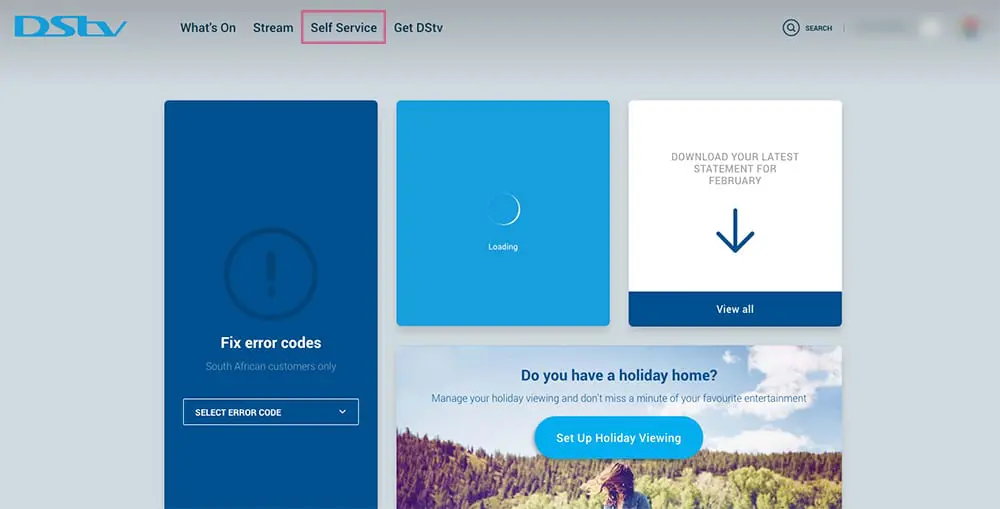
If you are not logged in already, log in. If you have not registered before then register with DStv Self Service first. You will log in with your Connect ID using either an email address or mobile phone number.
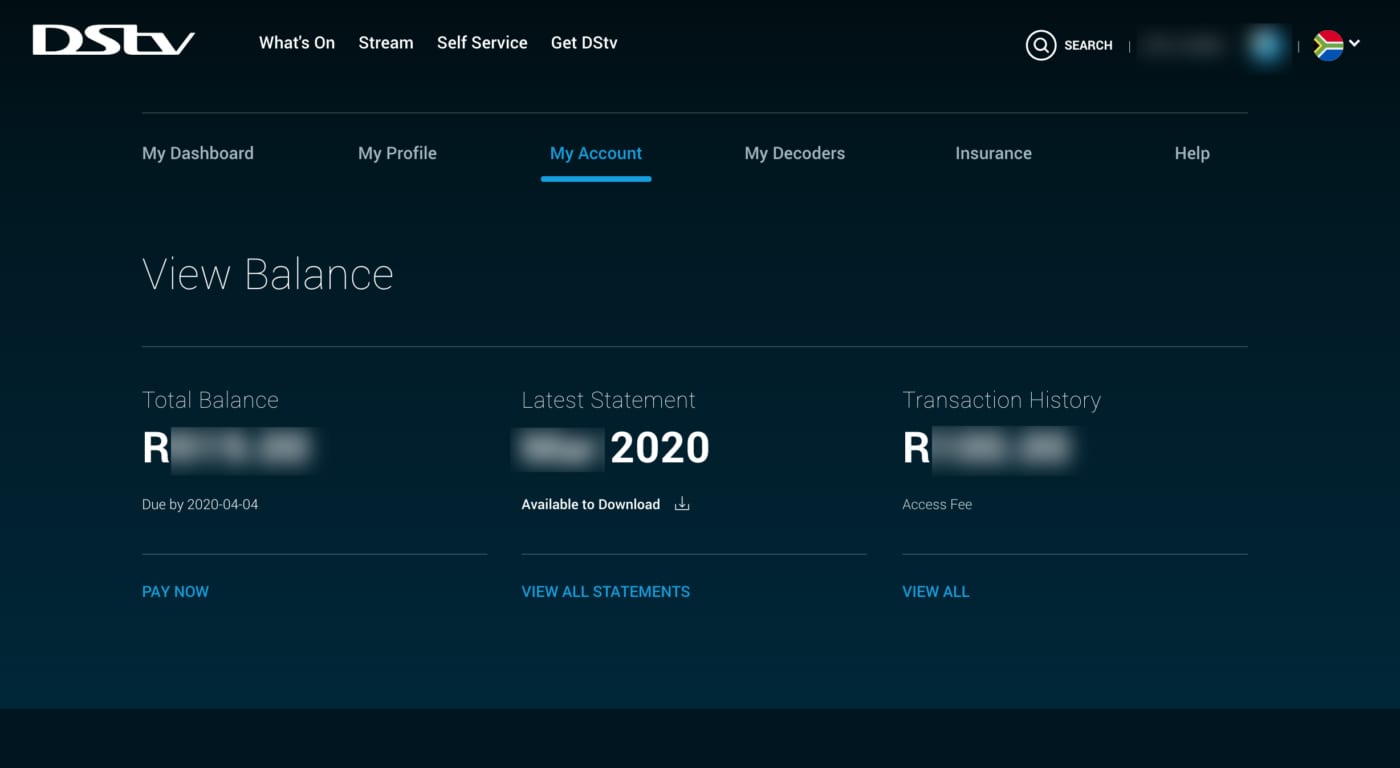
View Your DStv Balance
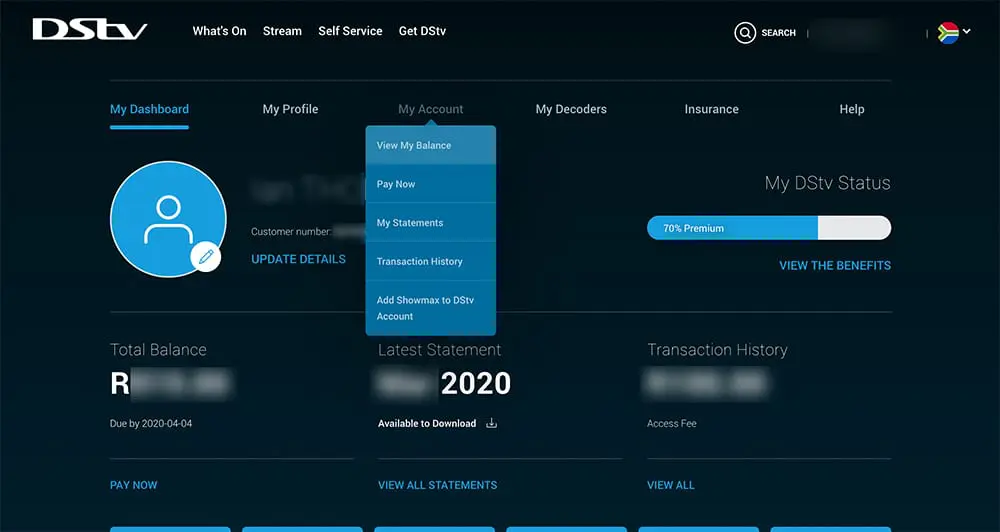
Once logged in you will be able to see your DStv balance on your dashboard, with the option to pay now. Just like the image below.
If you want a more detailed breakdown of your balance including your BoxOffice balance then:
From your DStv dashboard Click the “My Account” tab from the top menu ( 2nd menu from the top ).
Choose “View My Balance” from the drop down menu.
You will be redirected to view your balance where you can choose an option for how to pay DSTV.
If you are trying to fix an E16 error message remember to keep your decoder switched on, with the smart card inserted so that it can receive the reset command after you’ve paid and allow for reactivation.
https://localdstvinstaller.co.za/wp-content/uploads/2018/08/How-to-check-your-DStv-Balance-and-Pay-Onlne-DStv-Self-Service.jpg7201280LocalDSTVhttps://localdstvinstaller.co.za/wp-content/uploads/2018/02/no-300x141.pngLocalDSTV2018-08-29 10:41:222020-04-18 17:58:36How To Check Your DStv Account Balance With DStv Self Service
NMS Insurance Services offers a special a short-term insurance policy to MultiChoice. They are the authorised FSP for DStv Decoder Insurance. One serialised decoder is linked to each insurance policy. If you have multiple decoders, you need to insure each one separately. It’s quick, easy & it could save you money.
How to Activate Your NMS Insurance Policy for a DStv Decoder
There are a few different ways to set up your insurance policy:
Option 1- Visit the interactive menu on your decoder and follow the prompts.
Option 2- Visit DStv.com and sign-in with your connect ID
The monthly short-term insurance contract covers the following issues:
Electrical or mechanical malfunction
Lightning, fire, explosion, or flood
Loss due to theft
Insurance Policy Criteria
The policy is only valid for South African, MultiChoice-approved serialised decoders. It excludes damage caused by abuse, misuse, or negligence. You can only lodge a fault claim 3 months after activation of the decoder insurance.
https://localdstvinstaller.co.za/wp-content/uploads/2018/08/DStv-Decoder-Care-Insurance-for-Compact-Subscribers_.jpg414809LocalDSTVhttps://localdstvinstaller.co.za/wp-content/uploads/2018/02/no-300x141.pngLocalDSTV2018-08-23 09:51:492019-04-02 16:04:45DStv Decoder Care Insurance for Compact Subscribers
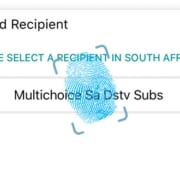
If you are a Nedbank account holder, you don’t have to wait in line to pay your DSTv. You can conveniently pay your DStv account with My eBills™. Or top up your BoxOffice movies account. Pay your bills electronically quick and easily after online registration.
Payments Made Easy with Digital Channels
After you subscribe you can manage your accounts online. Instead of waiting for your bill to arrive in the mail, you can manage your DStv subscription online. You can also view account balances in real time. Reduce account errors by staying in control of your accounts. Plus, you can pay multiple bills at the same time, in one place.
Step 3- Select the Subscribe option and the institution you want to link to
Step 4- Pick the Pay Bills option
Step 5- Scroll through the list of your subscribed bills, select the institution you want to pay
Step 6- Submit payment
Institutions Linked to My eBills™
DStv (Subscription and Box Office)
SABC
Grit Procurement
City of Tshwane Metropolitan Municipality
Ekurhuleni Metropolitan Municipality
Mangaung Metropolitan Municipality
uMhlathuze Local Municipality
City of Matlosana Municipality
Traffic fines (AARTO and City of Cape Town)
https://localdstvinstaller.co.za/wp-content/uploads/2018/08/Accounts-payments-with-DStv-and-BoxOffice-made-easy-with-Nedbank-Internet-Banking.png447805LocalDSTVhttps://localdstvinstaller.co.za/wp-content/uploads/2018/02/no-300x141.pngLocalDSTV2018-08-22 11:01:212019-05-09 11:25:55Accounts payments with DStv and BoxOffice made easy with Nedbank Internet Banking
With DStv Now, you can watch your favourite shows at any time, from anywhere. All you need to do, is download the DStv Now app and access it from your smartphone or tablet. It’s like a PVR in your pocket!
Great Features
You can access high-quality live TV as well as Catch Up content – anytime, from anywhere. Access the live stream option to enjoy a variety of the best DStv channels, including SuperSport and movies. Use the handy 8-day TV Guide to plan your viewing.
With DStv Catch Up you can either stream or download the latest episode of your favourite shows. If you are a South African subscriber, you can schedule a remote recording on your internet-connected DStv Explora.
All you need is a good internet connection, and you can watch live TV or access the latest Catch Up content from your computer, laptop, as well as an Android/iOS tablet or smartphone.
https://localdstvinstaller.co.za/wp-content/uploads/2018/08/How-to-get-free-DStv-Now-included-in-your-subscription-for-DStv-Family-DStv-Access-DStv-EasyView.png410900LocalDSTVhttps://localdstvinstaller.co.za/wp-content/uploads/2018/02/no-300x141.pngLocalDSTV2018-08-22 10:43:462019-05-13 10:48:17How to get free DStv Now included in your subscription for DStv Family, DStv Access & DStv EasyView
Are you a DSTV fanatic? We got great news, you can now keep watching DStv wherever you are with the new DStv Now app. Stream live television online from your phone, tablet, or computer! The app is free and is available to the following DStv packages: Premium, Compact, Compact Plus, Family, Access and EasyView.
Stream live channels, movies, and series, or download it to watch later in the comfort of your own home or destination. To start watching online, register on now.dstv.com or activate via the app.
DStv Now offers you access to more than 60 DStv channels. Watch your favourites on the go like Mzansi Magic, kykNET, and SuperSport. The movie and series box sets are a great way to keep yourself entertained when away from home.
If you have kids don’t worry, the DStv Now app has a dedicated Kids section that makes it super easy to ensure that your kids have a safe and fun viewing experience. Download the DStv Now app for your mobile device from either the Google Play Store or Apple App Store to get started with the fun, family-friendly entertainment.
Please note: the app uses data for streaming and downloading.
https://localdstvinstaller.co.za/wp-content/uploads/2018/08/Login-and-Register-with-DSTV-Now-app.jpg422809LocalDSTVhttps://localdstvinstaller.co.za/wp-content/uploads/2018/02/no-300x141.pngLocalDSTV2018-08-16 17:21:452019-03-29 08:40:44How to register and login with the DSTV Now App
Are you planning to travel to your holiday home and want to take your DStv decoder with? There are a few options you can consider to do this. Use the self-service platforms for instructions. Or follow the steps below
Step 3- Facebook: @DStvSelfService (send a message via Facebook Messenger)
Visit the DStv Self Service website to remove your decoder from the XtraView set-up. This is a great option if you have more than one decoder.
If you are a Price Lock customer you can choose from the following options.
Switch off the main home decoder and switch on the holiday home decoder. This will be a like-for-like switch, keeping you on the same DStv package.
Option 2:
Activate both your main and holiday home. This option is available via the DStv Self Service website. You must indicate which decoder will be your holiday home decoder on the My DStv function.
Make sure your holiday home has the right installation for the Catch Up and BoxOffice functions to work. You can also use DStv Now to stream live channels, and stream or download DStv Catch Up content to your tablet or smartphone. The app is free to download on the Google Play Store or Apple App Store and is available to all DStv customers, with live streaming channels and Catch Up content linked to the specific package of the customer.
https://localdstvinstaller.co.za/wp-content/uploads/2018/08/how-to.jpg450805LocalDSTVhttps://localdstvinstaller.co.za/wp-content/uploads/2018/02/no-300x141.pngLocalDSTV2018-08-16 16:46:372019-05-13 11:14:11How to activate DStv for your holiday home and your home paying via Debit Order
Are you travelling to your holiday home and want to take your DStv decoder with? There are a few options you can consider to do this. Use the self-service platforms for instructions. Or follow the steps below
Step 3- Facebook: @DStvSelfService (send a message via Facebook Messenger)
Visit the DStv Self Service website to remove your decoder from the XtraView set-up. This is a great option if you have more than one decoder.
If you are a Price Lock customer you can choose from the following options.
Option 1:
Switch off the main home decoder and switch on the holiday home decoder. This will be a like-for-like switch, keeping you on the same DStv package.
Option 2:
Activate both your main and holiday home. This option is available via the DStv Self Service website. You must indicate which decoder will be your holiday home decoder on the My DStv function.
Make sure your holiday home has the right installation for the Catch Up and BoxOffice functions to work. You can also use DStv Now to stream live channels, and stream or download DStv Catch Up content to your tablet or smartphone. The app is free to download on the Google Play Store or Apple App Store and is available to all DStv customers, with live streaming channels and Catch Up content linked to the specific package of the customer.
https://localdstvinstaller.co.za/wp-content/uploads/2018/08/DSTV-Self-Service-How-to-activate-DStv-for-your-holiday-home-your-home-via-EFT-or-Credit-Card_.jpg454805LocalDSTVhttps://localdstvinstaller.co.za/wp-content/uploads/2018/02/no-300x141.pngLocalDSTV2018-08-16 16:34:522019-04-03 10:49:23How to activate DStv for your holiday home & your home via EFT or Credit Card
There’s a new player in town, giving the satellite television service a run for its money. Although MultiChoice owns shares in ShowMax, an online streaming service, many people are flocking to Netflix for their series binge watching spree.
The Satellite Strategy
Online streaming services have become a game changer in the entertainment world. And this is only focusing on the legal services. Pirate sites are an alluring alternative for people wanting to see the latest episodes of their favourite series but trying to find a way around paying for it.
Stats show that MultiChoice has lost over 100 000 premium subscribers in the financial year from 2017 to 2018. The pay-TV operator must now reassess its business model to stay relevant despite the fierce entertainment competition. If DStv fails to rejuvenate its services, it is threatened by digital disruption.
According to Calvo Mawela, the CEO of MultiChoice SA, an issue arises with unregulated competition because Netflix has an unfair advantage as a video-streaming company. Currently the company is not subject to any regulatory pressure in South Africa.
Changing Directions
DStv is very aware of the fact that their viewers have changed their average viewing habits. More and more South Africans are catching on to the convenience of online content. Although the satellite broadcasting service still has a big loyal following, the company wants to aim at capturing a bigger online audience.
Showmax.
Besides offering subscribers access to ShowMax, MultiChoice has created a new online streaming service platform. With DStv Now you can access the satellite television’s content online. Plans are in the pipeline to launch a special 4K-streaming option for DStv Now, offering subscribers a higher resolution, high definition (HD) format. Other changes include possibly offering a new package that will be streaming-only. This way MultiChoice can directly compete on Netflix’s turf. There are also a few other online content services to contend with.
Why is DStv Losing Subscribers
Some onlookers speculate that the substantial subscriber loss is due to the financial challenges that consumers are facing. But MultiChoice still strongly suspects that it is losing many premium subscribers because of unregulated competition, with Netflix at the top of the online content services competitors.
MultiChoice believes that it is the responsibility of the Independent Communications Authority of SA (Icasa) to investigate a way of creating a level playing field so that the pay-TV operators can compete fairly with the over-the-top players. If Icasa does not comply with this request, DStv and other pay-TV operators might very soon be out of business.
Investigating the Allegations
In May 2018, the regulator conducted an inquiry with an oral hearing, listening to the complaints from the subscription television broadcasting services. It is considering opening the market to other players. The plan is to introduce shared sports rights, as well as shorter contract options for premium content.
MultiChoice feels that Icasa misunderstood the request and the inquiry is not focusing on the issue that was brought to them. DStv feels that competition in the industry can have a positive effect on services, they are not against it. The pay-TV operator wants to make its subscribers aware of the value offering they present, appreciating the services offered. They feel that the consumer will benefit from healthy competition.
But now Icasa has shifted its focus to regulate DStv more. MultiChoice still claims that over-the-top players like Netflix should be subjected to the same set of regulations as MultiChoice. Mawela feels that this will be in the best interest of the country. In an interview he pointed out that the country has national objectives to focus on. For instance, currently Netflix does not fall under the same tax compliance laws as MultiChoice. The online streaming company also does not comply with the black economic empowerment regulations.
Mawela went on to explain that he feels companies such as Netflix should be placed on the same playing field as local service providers. Netflix does not offer employment to anyone in South Africa, they don’t fall under the country’s tax laws, and they also do not offer any local content. MultiChoice’s main reason for requesting regulations from Icasa was to ensure that the pay-TV operators and the online streaming companies can stand on equal footing when competing for subscribers.
Interview: MultiChoice CEO Calvo Mawela on SABC News.
Netflix responded positively to the regulation request from MultiChoice. They intend to adhere to the local laws and tax structures of the countries that access their service. Netflix welcomed collaboration with regulators.
Paseka Maleka, Icasa spokesman, confirmed that the regulator is in the process of analysing the pay-TV market inquiry submissions. They aim to publish a conclusion on the matter by March 2019. According to William Bird, Media Monitoring Africa director, Netflix should be regulated. But he also thinks the pay-TV market monopoly should be regulated as well.
Are you a diehard sports fanatic? Do you love watching live games on DStv? Well, good news for you, till the end of July 2018 DStv has decided to make all the SuperSport channels available to all the packages. This includes Compact, Compact Plus, Family and Access packages. Get access to 13 SuperSport channels at no extra charge. Watch SuperSport 1 to 12 and SuperSport Blitz as much as you want, for free.
Let the Sports Binge Watching Begin
The line-up holds many exciting sporting events such as the 2018 FIFA World Cup final (SuperSport 3), the CAF Champions League (SuperSport 4), the Proteas’ Sri Lanka tour (SuperSport 2), and more.
Here’s a list of the what you can look forward to in July:
South Africa vs Sri Lanka 1st Test
Will the South African bowling attack hold up to the challenge of the Sri Lankan wickets? The test will start on Friday 13 July at 6:25. Watch the Proteas on SuperSport 2.
Vodacom Super Rugby 2018: Bulls vs Lions
Two feisty teams battling it out for a prized place in the playoffs. Will the Lions conquer the Bulls in Johannesburg?
Vodacom Super Rugby 2018
Watch the two formidable teams in action on SuperSport 1, Saturday 14 July at 15:00
Wimbledon 2018: Ladies Final
Can Serena Williams make an epic return to the world of competitive tennis with another Centre Court appearance? Enjoy the nail-biting final on SuperSport 6, Saturday 14 July at 14:45.
MotoGP ’18: Germany MotoGP
Marc Marquez will attempt to extend his championship lead in the Germany polls. Watch the race on SuperSport 7, Sunday 15 July at 14:00.
The Germany GP
2018 FIFA World Cup Final
The big final will be in Moscow. Who will go home with the prized trophy, crowned kings of the football world? Watch the 2018 World Cup Final on SuperSport 3, Sunday 15 July at 16:45.
Wimbledon 2018: Men’s Final
Can Roger Federer extend his Grand Slam dominance on the grassy Centre Court? Watch the nail-biting final on SuperSport 6, Sunday 15 July at 14:45
But Wait, There’s More
By the end of July, you will be a professional sport watcher! There’s more fun live sport fixtures to enjoy in July. All of these available to the DStv Compact, Compact Plus, Family, Access, and Premium packages.
SS4, Tuesday 17 July at 14:45 – CAF Champions League: AS Togo vs Sundowns
SS6, starting Thursday 19 July at 07:30 – The Open Championship 2018
SS2, starting Friday 20 July at 06:25 – Sri Lanka vs South Africa 2nd Test
SS1, Saturday 21 July – Vodacom Super Rugby Qualifiers
SS1, Saturday 21 July from 03:56 – 2018 Rugby World Cup 7’s
SS8, Saturday 21 July at 15:00 – IAAF Diamond League 2018: London
SS9, Sunday 22 July at 14:00 – IBO Boxing 2018: Simphiwe Khonco vs Toto Landero
SS2, Sunday 22 July at 15:05 – F1 2018: German Grand Prix
SS1, Monday 23 July at 02:44 – 2018 Rugby World Cup 7’s Final
SS1, Saturday 28 July – Super Rugby Quarter Finals
SS4, Friday 27 July at 21:00 – CAF Champions League: Sundowns vs AS Togo-Port
SS2, Sunday 29 July at 06:15 – Sri Lanka vs South Africa 1st ODI
SS5, Sunday 29 July – Tour de France Final Stage
Local DStv Installer Can Help You Access All the Sports
If you are experiencing issues with setting up your DStv channels, one of our leading and accredited DSTV and multichoice service technicians can assist you.
https://localdstvinstaller.co.za/wp-content/uploads/2018/07/super-sport.jpg551980LocalDSTVhttps://localdstvinstaller.co.za/wp-content/uploads/2018/02/no-300x141.pngLocalDSTV2018-07-25 13:38:312019-03-25 17:50:16SuperSport Channels Open to All DStv Customers
https://localdstvinstaller.co.za/wp-content/uploads/2018/07/low.jpg6501204LocalDSTVhttps://localdstvinstaller.co.za/wp-content/uploads/2018/02/no-300x141.pngLocalDSTV2018-07-09 09:50:202020-07-01 09:28:41Why It Is A Good Idea to Install A Complex DSTV/Satellite TV